















THE EVOLVED EDIT
Do iPhone 17 Cases Fit iPhone 18? What to Check
Do not assume an iPhone 17 case fits an iPhone 18. Learn which dimensions, camera openings, controls, ports and charging details must match.

Short answer
Do not assume an iPhone 17 case fits an iPhone 18. Compatibility requires the same body dimensions, corner shape, camera platform, controls, ports, speaker openings and magnetic alignment. Even a small difference can leave a button pressed, obstruct a lens or stop the case from holding the phone securely.
Why an iPhone 17 case may not fit an iPhone 18
A case is a three-dimensional part with tight tolerances. Its inner shape must hold the phone without pressure points, while every opening must align with working hardware. A phone can keep the same general silhouette and still need a new case.
Overall height, width and depth
A slightly taller, wider, or thicker body can stop the case from seating at the corners. A smaller phone can feel loose and detach during a drop. Screen size alone cannot establish fit because bezel and chassis dimensions can change independently.
Camera platform and lens positions
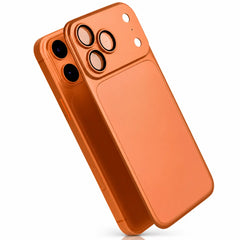
A new camera shape is an obvious problem, but subtler differences matter too. A misaligned camera opening can touch a lens surround, cover a flash or sensor, or leave an exposed edge. Protective camera glass must also match the exact optical layout.
Buttons and controls
Case buttons need to transfer pressure cleanly to the phone. If a control moves or changes size, an old case can make it difficult to press—or press it continuously. A cutout that merely “looks close” is not a correct fit.
USB-C port, speakers and microphones
Misaligned bottom openings can prevent a cable from seating fully, obstruct audio, or cover a microphone. The connector type can remain the same while the opening around it changes.
Magnetic charging alignment
A built-in magnetic ring must align with the phone's charging coil. Poor alignment can weaken the hold or reduce charging consistency. That is separate from whether the shell appears to snap around the phone.
Seven checks before calling two iPhone cases interchangeable
| Check | What must match | What can go wrong |
|---|---|---|
| Body | Height, width, depth and corner radius | Loose fit, bowing, or corners that will not seat |
| Camera | Platform size, lens, flash and sensor positions | Obstruction, contact, glare, or exposed edges |
| Controls | Every button and control position | Hard, stuck, or inaccessible controls |
| Bottom openings | USB-C port, speakers and microphones | Cable cannot seat; sound or recording is blocked |
| Display edge | Bezel and raised-lip geometry | Case presses a screen protector or leaves an edge exposed |
| Charging coil | Magnetic-ring and receiver-coil alignment | Weak attachment or inconsistent wireless charging |
| Installation | Correct closure and no forced flex | Stress on the phone or case; unreliable retention |
Signs an older case does not fit your new iPhone
Stop using the case if you notice any of these symptoms:
- A corner will not seat fully or repeatedly lifts away.
- The phone moves inside the case.
- A button feels permanently pressed or unusually stiff.
- The camera opening touches a lens surround or covers a sensor or flash.
- The USB-C connector cannot plug in completely.
- Speakers or microphones are covered.
- A screen protector lifts when the case is installed.
- A magnetic charger attaches off-center, falls away easily, or repeatedly starts and stops.
Do not cut, bend, stretch, or force a rigid case to make it fit. That removes predictable protection and can press directly against the phone.
What if the iPhone 17 case seems to snap on?
A case snapping around the phone only proves that part of the shell can surround it. It does not confirm camera clearance, control operation, port access, magnetic alignment, retention during a fall, or pressure around the display. Complete fit matters.
Use a case explicitly listed for the exact phone model. The Evolved iPhone 18 collection groups model-specific options so you can compare case styles after confirming compatibility.
How to choose the correct iPhone 18 case
- Find the complete model name in your phone settings or on its packaging.
- Choose that exact model in the case product's variant selector.
- Do not rely on the main product photo, screen size or a similar generation name.
- Check the listed camera, control, port and charging compatibility.
- When the case arrives, test every control, port, camera opening, screen edge and magnetic accessory before regular use.
The complete iPhone 18 case buying guide explains how to choose the right material and protection style once the fit question is settled. You can then compare the best iPhone 18 Pro and Pro Max case styles by use.
Shop by exact model, not by appearance
Compare iPhone 18 case options, then select the complete model name on the individual product page.
Frequently asked questions
Will an iPhone 17 Pro case fit an iPhone 18 Pro?
Do not assume it does. “Pro” is a product tier, not a dimensional standard. Use a case specifically listed for iPhone 18 Pro and verify every opening and control.
Will an iPhone 17 Pro Max case fit an iPhone 18 Pro Max?
Do not assume it will. Matching tier names do not guarantee the same body, camera, button, port, or charging-coil layout.
Can a loose case still protect my phone?
A loose case can let the phone move or separate during an impact. Use a case that retains the phone securely without forcing or deforming it.
Can I reuse my screen protector?
Only if its dimensions, cutouts, edge shape, and case clearance match the new display precisely. Screen size alone is not enough to prove compatibility.