















Customer support
How can we help?
Find a quick answer about your order, return, product, or charging setup.
Use a short phrase such as “tracking,” “return,” or “adapter.”
18 answers
Help center
Frequently asked questions
Browse every topic or search across all answers.
Orders & delivery
Tracking, timing, and deliveryWhere is my order, and when should it arrive?
Orders are normally prepared within 1–3 business days. Delivery estimates begin after dispatch. We email tracking when each parcel ships, and you can also use Track Your Order. Current transit estimates are listed in our Shipping Policy.
Can I change or cancel my order?
Contact us immediately with your order number and the exact change. We can only change an address, item, or cancellation before dispatch, and changes are not guaranteed once fulfillment has started.
Tracking stopped or says delivered, but I do not have it. What should I do?
Tracking can pause between facilities, carriers, or customs. If it says delivered, check the delivery address, safe places, household members, neighbors, and any pickup notice, then ask the carrier for delivery details. If the parcel is still missing, contact us with your order number and what you have already checked.
Is shipping free, and will I pay import fees?
Standard shipping is free worldwide. Duties, taxes, and import fees are included only when expressly stated at checkout. Otherwise, the recipient may need to pay charges collected at the destination. If a carrier requests an unexpected payment, contact us before paying it.
I did not receive an order confirmation. Did my order go through?
Check your spam, promotions, and junk folders and search for Evolved Chargers. Also confirm whether your payment method shows a completed or pending charge. If you still cannot find the confirmation, contact us with the name, email address, and approximate order time used at checkout—never send full card details.
Why did only part of my order arrive?
Items can ship separately when they leave different fulfillment locations or include products with different handling times. Check your shipping emails for more than one tracking number. If every parcel shows delivered and an item is still missing, contact us with your order number and the item you did not receive.
Returns & refunds
Eligibility, costs, and refundsCan I return my order?
You can request a standard return within 30 days of delivery. The product must be unused, unopened, complete, and in its original packaging. Opened or used products, gift cards, personalized products, and non-physical services such as shipping protection are not eligible under the standard policy. Mandatory consumer rights still apply.
How do I start a return, and what does it cost?
Open the Return Portal, sign in with the email used for your order, and wait for approval before sending anything. For a standard non-defective return, the customer pays return shipping unless applicable law requires otherwise.
What if my item arrived damaged, defective, or incorrect?
Contact us instead of starting a standard return. Include your order number, the exact product and device model, and a clear description of the issue. After our first reply, you can attach photos or a short video so we can review the correct replacement or resolution.
When will I receive my refund?
We inspect an approved return after it reaches the instructed return location. If approved, the refundable amount is issued to the original payment method. Your bank, card issuer, or payment provider may need additional time before the credit appears.
Can I exchange an item for another model or color?
Contact support with your order number and the replacement model or color you need. Eligibility depends on the item’s condition and whether fulfillment has already started. If a direct exchange is not available, our team will explain the appropriate return and reorder option.
What if a product develops a fault after I start using it?
Do not submit it as an unopened standard return. Contact support with your order number, product and device model, when the issue started, and the troubleshooting you completed. We will review the issue under the applicable warranty and consumer-rights process.
Products & charging
Compatibility and quick checksHow do I check whether a product works with my devices?
Open the Compatibility section on the product page and match every exact model—not only the brand. Watch charging is especially model-specific because Apple Watch and Galaxy Watch use different systems. If you are unsure, contact us with the phone, watch, tablet, earbuds, and case models you plan to use.
Is a wall adapter included, and which one should I use?
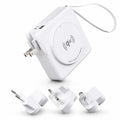
What is included is listed on each product page under What’s Included. If an adapter is required separately, use the wattage and power standard shown there—usually USB-C Power Delivery or QC 3.0. An underpowered adapter can reduce charging speed or cause disconnects.
Why is wireless charging not working, slow, warm, or blinking?
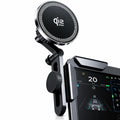
Confirm that the adapter meets the product’s required wattage, remove wallets or metal accessories, and center the device on the charging area. Thick cases and loose magnetic rings can interfere with alignment. Mild warmth and a pause near 80% can be normal battery protection, but disconnect the charger if it becomes unusually hot, smells abnormal, or shows visible damage.
My power bank will not turn on or charge my device. What should I check?
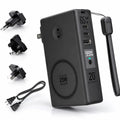
Fully charge the power bank with a suitable adapter, reconnect the cable, and press the power button if the model has one. Try a known-good cable and confirm that the selected port supports the input or output you need. If it still fails, contact us with your order number, device model, adapter details, and the checks you tried.
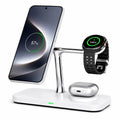
Will the watch charger work with Apple Watch and Galaxy Watch?
Apple Watch and Galaxy Watch use different charging systems, so watch support is product-specific. Check the exact watch models listed in the Compatibility section of the product page. Do not assume that a charger supporting one watch platform supports the other.
Why am I not getting the advertised fast-charging speed?
Charging speed depends on the device, battery level, temperature, cable, adapter, and charging standard working together. Use a cable and USB-C adapter rated for the required wattage, connect directly where possible, and remember that devices automatically slow charging as the battery fills or becomes warm.
Try fewer words or use Product Help for detailed guides.
Need more detail?
Use Product Help for step-by-step guidance.
Setup, charging troubleshooting, compatibility, care, manuals, travel guidance, and more.