

















THE EVOLVED EDIT
Can You Use Your Old USB-C Charger With a New iPhone?
Check your existing adapter and cable before buying replacements. Learn what affects fit, fast charging and power sharing when upgrading your iPhone.

The short answer
Usually, yes. A suitable USB-C adapter can charge a USB-C iPhone, though you may need a different cable and may not reach its fastest charging speed. Check the connection, power specification and condition before replacing anything. Apple's USB-C guidance explains the supported connections.
1. Start with the charger you already own
Put the wall adapter and cable side by side. They are two separate buying decisions. Before comparing new products, choose the outcome that would actually improve your routine:
- Keep your setup. It meets the phone's requirements and gives you enough charge in the time available.
- Change the cable. The adapter is suitable, but the phone-end connector or cable length no longer fits your needs.
- Upgrade the adapter. You want a documented charging speed your current adapter cannot support, or you need a different port arrangement.
- Retire damaged equipment. Do not keep using a frayed cable, broken connector or damaged adapter just because it still appears to work.
Think in terms of your actual charging window. A ten-minute top-up before leaving home is a different priority from leaving the phone at your desk for several hours. You do not need to replace a working setup simply because a new phone is available.
2. Check both ends of the cable
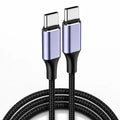
Released iPhone 15, 16 and 17 models use USB-C. An older USB-C-to-Lightning cable fits a USB-C adapter but not these phones. With a suitable adapter, change to a USB-C-to-USB-C cable. Apple also documents USB-A-to-USB-C connections; these do not turn USB-A sources into USB-C fast chargers. See Apple's connection guide.
Do this physical check before shopping:
- Look at the port on the phone you will use.
- Look at the output port on your wall adapter.
- Check that the cable connects those two ports directly.
- Check that its connector housing fits through your case's port opening without forcing it.
A useful cable length reaches your usual outlet without pulling the phone toward the edge of a table. Plan for that everyday arrangement, not just the cable that looks neatest in a product photo.
3. A higher wattage is capacity, not forced power
USB-C describes the connector. USB Power Delivery, or USB-PD, manages power between supported devices. In a compliant PD setup, the power source advertises its capabilities and the device requests a supported supply. A 65W adapter does not automatically push 65W into an iPhone. The USB Implementers Forum's Power Delivery overview explains how devices take the power they require.
Apple explicitly allows suitable higher-wattage USB-C adapters, including Mac laptop adapters, to charge a USB-C iPhone. Check the adapter and cable, rather than rejecting an adapter solely because its wattage is larger. Apple's USB-C charging instructions cover this use.
Read the output label, not just the biggest number
Record the manufacturer's name, model number, USB-PD support and output specifications. As a simple example, an output profile labeled 9V/3A corresponds to 27W: volts multiplied by amps. That is one output profile, not proof that every connected phone charges at 27W.
If you cannot identify the model or find its specifications, ask the manufacturer before relying on it for a particular fast-charge claim. A connector that fits is only the first check.
4. “It charges” and “it charges fastest” are different
Apple's fast-charging guidance gives model-specific requirements. For example, it specifies a 20W-or-higher adapter for fast charging iPhone 12 and later, while its approximately 20-minute, 50% charging claim for iPhone 17, 17 Pro and 17 Pro Max requires a 40W-or-higher adapter. iPhone Air and iPhone 17e have a different stated target: around 50% in 30 minutes with 20W or higher.
Those are Apple's documented examples, not Evolved charging tests. Actual results vary with the adapter, phone settings, use and environmental conditions. Do not assume a 20W adapter is useless, or that every higher-wattage adapter reproduces a published charging time.
For a phone that has not yet been officially announced, wait for its published charging requirements. Do not carry an older model's maximum wattage or charging-time claim into a new-model recommendation.
The practical decision is whether your current setup meets your schedule. If it does, keep it. If short top-ups matter, compare your adapter against the exact phone's documented target before upgrading.
6. Replace only the piece you need
Before ordering, write down four details: your exact phone, the adapter model, the cable connectors and whether another device shares the adapter. That short list is more useful than shopping by “fast charger” alone.
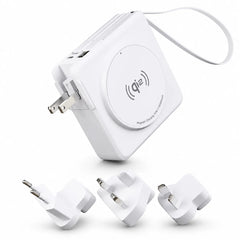
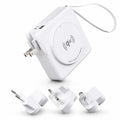
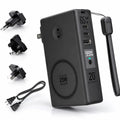
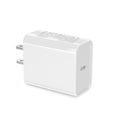
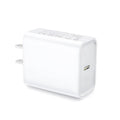
If you need a new wall adapter, compare Evolved's PowerPlug, listed at 30W, and PowerPlug Pro, listed at up to 45W. Confirm the USB-PD output profiles, required plug type and your phone or charging station's requirements before choosing. The listed wattage is not a model-specific charging-time guarantee.
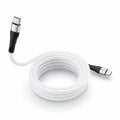
If cable organization is the problem, MagCable uses a magnetic coiling design for storage. That is a cable-management feature, not wireless charging. Choose the connection and supported power first, then the handling features you prefer.
For a broader kit, the iPhone accessory setup guide helps separate essentials from optional additions. A phone upgrade does not have to become a full accessory replacement.
Frequently asked questions
Do I need a new wall adapter when switching from Lightning to USB-C?
Not necessarily. If the existing USB-C adapter is suitable, the missing piece may be a USB-C-to-USB-C cable. Check the phone's charging requirements before deciding.
Will a 100W cable make my iPhone charge at 100W?
No. A cable's power rating does not override the phone and adapter's supported power. It is not a charging-speed setting.
Should I replace a 20W charger just because a newer one has more watts?
Only if the new setup solves a real need. Compare your exact phone's documented charging target with the time you normally have to charge, rather than choosing the largest number.
Why does charging change when I plug in another device?
Your adapter may redistribute its available power. Check its simultaneous-use ratings and compare charging with only the phone connected.