

















Product Help
Charging Troubleshooting
Use the section that matches what you are seeing. Most charging issues come down to power input, alignment, the case or accessory being used, cable condition, temperature, or the device itself.
On this page
Not charging
- Confirm the charger is connected to a suitable power adapter and working wall outlet.
- Reconnect the cable firmly at both ends.
- Remove the case and any wallet, grip, metal plate or magnetic accessory, then test again.
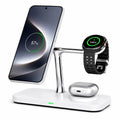
- Center the phone, watch or earbuds carefully on the correct charging area.
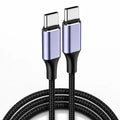
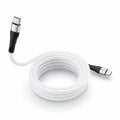
- Try another known-good cable or compatible adapter if available.
- Restart the device and test again.
Charging is slow
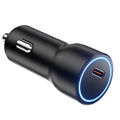
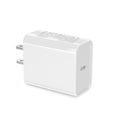
- Check that the adapter can provide enough power for the charger and all connected devices.
- Charging can slow when the battery is nearly full, the device is warm, or several devices are charging at once.
- Thick cases, metal parts and poor magnetic alignment can reduce performance.
- Your device may support a lower maximum wireless charging speed than the charger itself.
Charging starts and stops
- Remove cases and magnetic accessories temporarily.
- Clean charging surfaces and connectors.
- Check that the cable is not loose or damaged.
- Try another outlet, cable or compatible adapter.
- Make sure the device stays centered on the charging area.
The charger or device feels warm
Some warmth is normal during wireless and fast charging. Charging systems may reduce power when temperatures rise.
- Move the charger to a cool, ventilated surface.
- Remove thick cases temporarily.
- Avoid direct sunlight, bedding and other heat-trapping surfaces.
- Stop using the product if it becomes unusually hot, smells unusual, swells, shows visible damage or repeatedly shuts down.
Apple Watch not charging
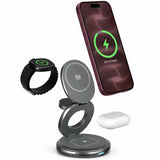
- Place the watch flat and centered on the watch charging area.
- Remove shells or accessories that prevent full contact.
- Confirm your Apple Watch model is listed in the product compatibility section.
- Use the required power adapter for the station.
AirPods not charging wirelessly
- Confirm your AirPods charging case supports wireless charging.
- Center the case over the wireless charging area.
- Remove thick or metal covers.
- If your AirPods case does not support wireless charging, use its cable instead.
Still not working?
Contact support and include your product name, device model, power adapter wattage, cable used, and whether the issue happens with the case removed.